From tender email to live order in seconds.
Augie reads your emails, BOLs, and shipping documents, then builds accurate loads in your TMS automatically. No templates. No RPA. No extra tools for your team.










" transform="translate(7.302 4.868)" width="4.868344827586169px"/></svg>)
" transform="translate(2.434 1.74)" width="14.604965517241437px"/><path d="M 7.303 4.057 L 0 0" fill="transparent" height="4.056958620689656px" id="OBaLJgTml" stroke-dasharray="" stroke-linecap="round" stroke-linejoin="round" stroke-width="1.62" stroke="rgb(30, 169, 123)" transform="translate(6.085 3.651)" width="7.302531034482824px"/></svg>)
" transform="translate(2.434 1.623)" width="14.604965517241437px"/></svg>)
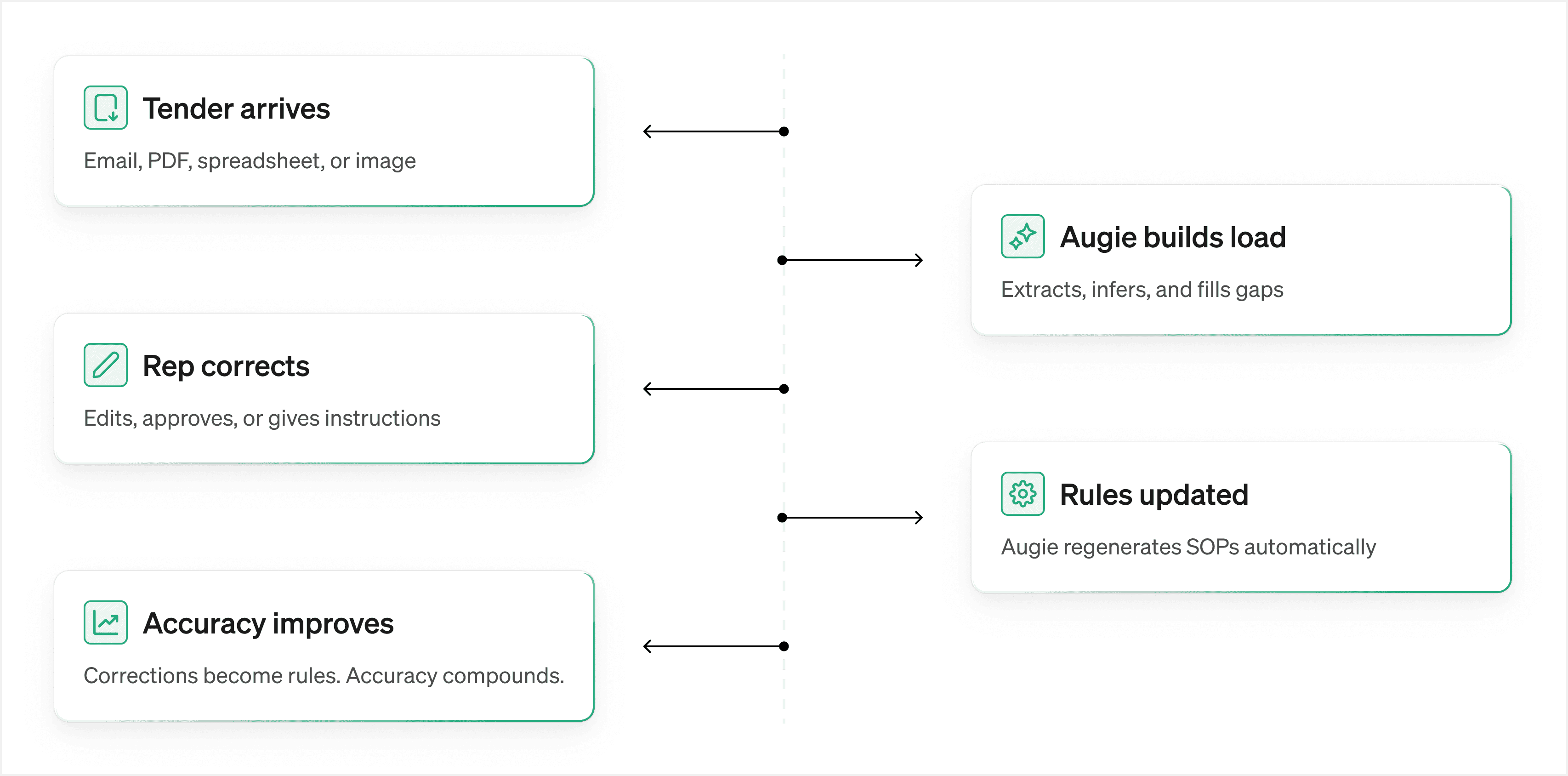
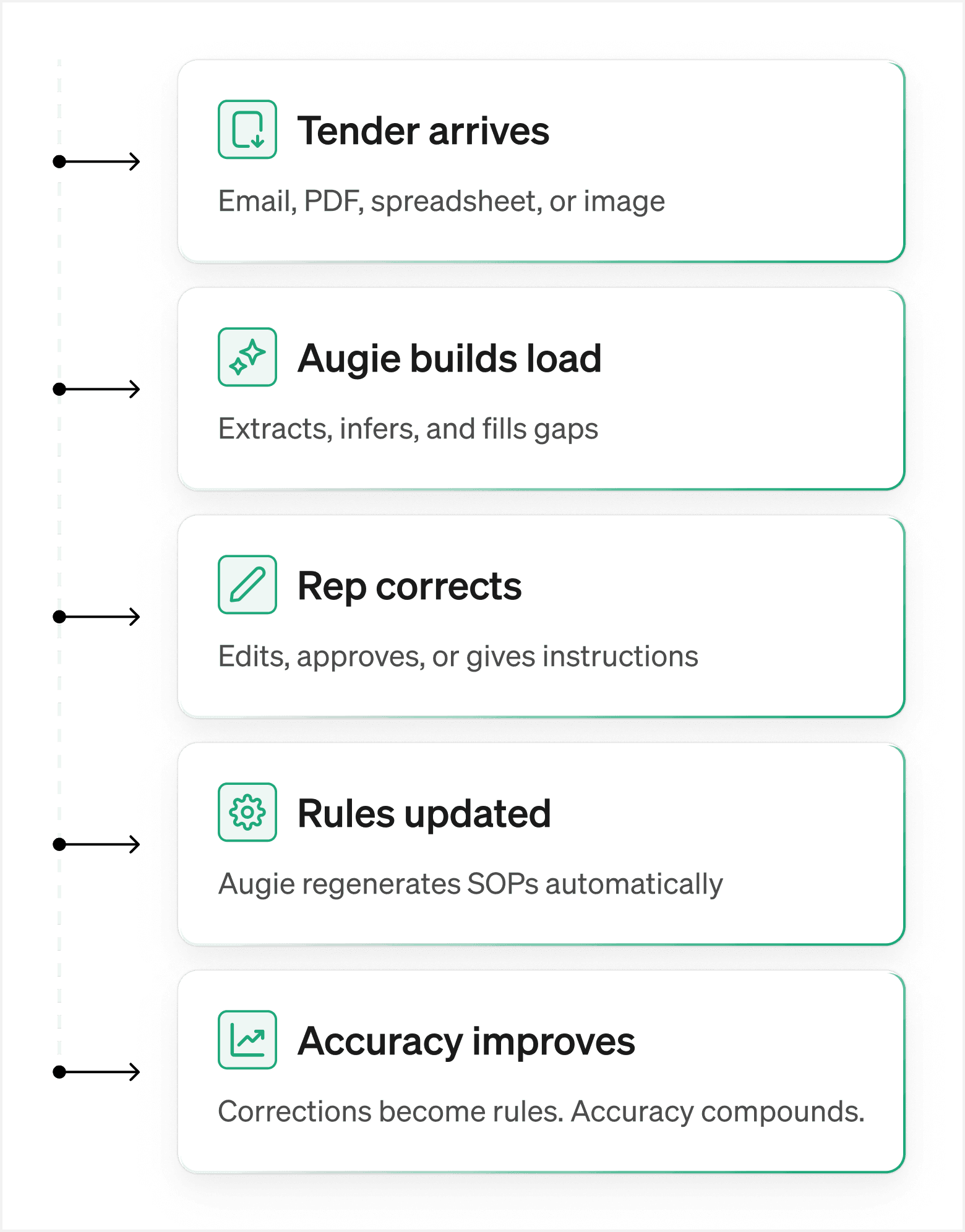
How Augie gets more accurate over time.
A closed feedback loop, with no manual rule maintenance required.


Traditional
Without Augie
Load creation
7–10 minutes required to build each load manually, every time.
Response speed
Tenders received after hours sit untouched until the next day.
Missing info retrieval
Reps manually call facilities and email customers for missing info.
Accuracy
Data errors cause missed pickups, failed tracking, and billing disputes.
Compounding knowledge
Preferences and rules have to be relearned every time, by every rep, for every load.
Processing efficiency
Multi-tool context switching slows reps down. Tenders with 50+ loads stretch capacity.
With Augie

" transform="translate(1.5 1.5)" width="16.666px"/></svg>)
Describe what should happen in plain English, and Augie builds it.
24/7 inbox monitoring. Tenders are processed instantly.
Augie calls facilities and emails customers automatically per your SOPs.
Augie intelligently adapts, making sure nothing gets missed.
Augie learns from every action, so you only teach it once.
300+ concurrent loads processed in under 5 minutes.
Accurate, adaptive, and always on.



“Building 20, 30, 40 loads at once would take half a day. With Augie, it's done in minutes — and it's accurate every time. That frees me up to be more strategic with my customers.”

Luis Fernandez
Senior Account Manager

Frequently asked questions
What document types can Augie parse?

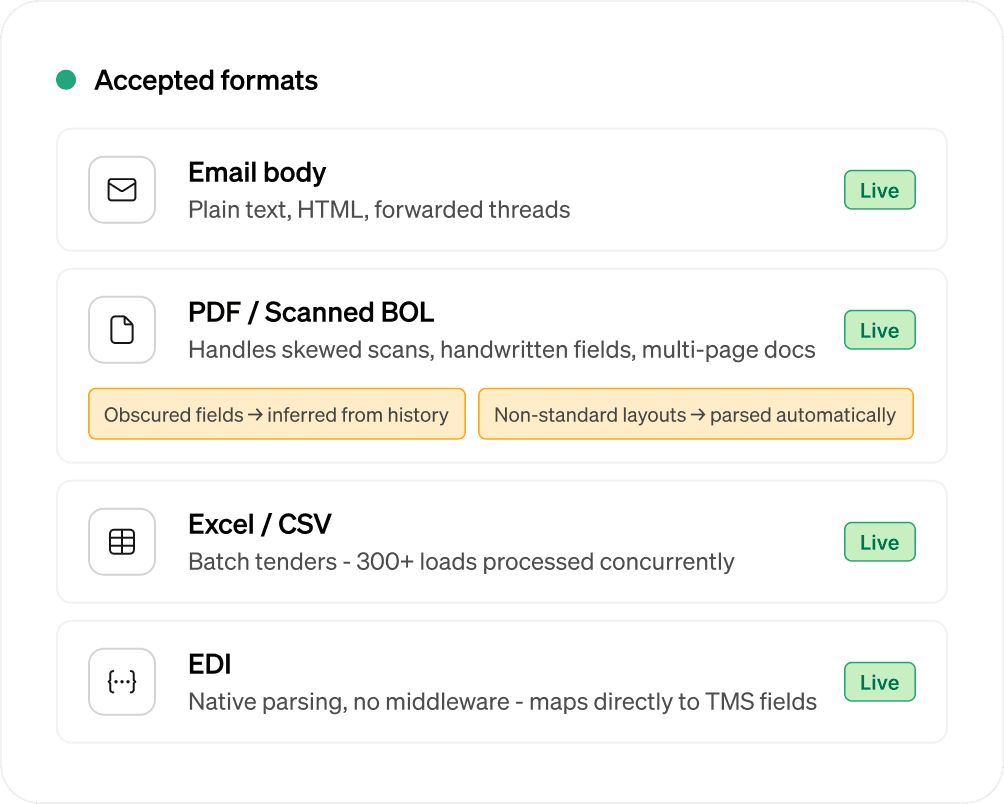
Augie handles email bodies, scanned BOL images, PDFs, spreadsheets (Excel/CSV), EDI orders, and multi-page shipping documents. For scanned documents, Augie uses OCR plus context-aware inference to fill missing values from historical patterns.
What happens when information is missing from a tender?
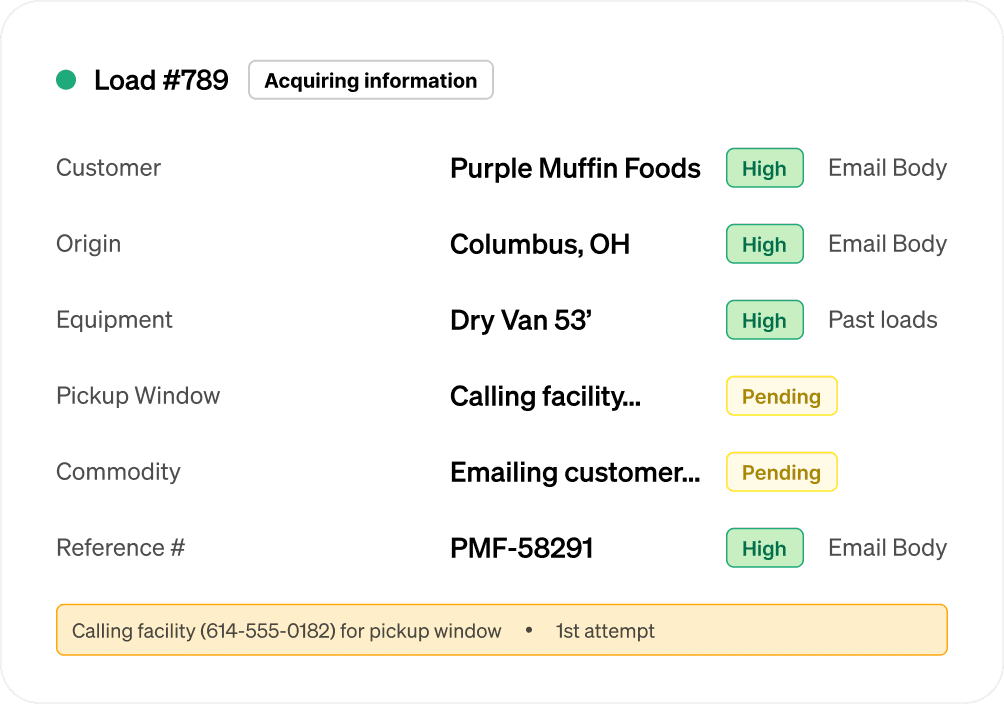
Augie follows your SOP to acquire missing information autonomously — emailing customers for reference numbers or commodity details, calling facilities for pickup windows, and retrying multiple times before escalating to a rep. Reps only get looped in after Augie has exhausted its options.
How does Augie handle multi-stop and batch tenders?
Augie supports multi-stop shipments and large batch tables (e.g., 50 loads in a single email). Each row or stop is processed independently, and a full summary — loads created, load numbers, and any failures with reasons — is returned to the rep.
Does Augie support multi-channel ingestion — email, BOL, EDI, spreadsheets?
Yes. Augie ingests tender data from email bodies, scanned BOLs, PDFs, images, spreadsheets, and EDI. Reps can forward emails directly to Augie's inbox, or Augie can monitor the inbox automatically. There's no change to how your team currently works.
Can Augie pre-assign drivers automatically?
Yes. When a BOL or tender originates from a known driver (e.g., via a driver app or email), Augie detects the source and pre-assigns the correct driver and tractor to the load in the TMS automatically.
How does the exception queue work?
Augie creates the load and flags any fields it's not confident about. These appear in the Augment Portal exception queue, prioritized by customer and document age, with the original document displayed side-by-side for fast rep review. Reps confirm or correct in seconds — and Augie learns from every edit.
How does Augie explain what it extracted and why?
Every field in Augie's load draft includes a confidence level (High / Medium / Low) and a source label — for example, "Email body," "Past loads," or "Phone call with facility." Reps can see exactly where each value came from and decide what to trust.
What proactive steps does Augie take when data is missing?
Augie follows your SOP autonomously: it emails customers for missing reference numbers or commodity details, calls shipper and receiver facilities for pickup windows (retrying up to 3 times, 30 minutes apart), and only escalates to a rep after exhausting its options.