

Knowledge Hub
A shared brain for your supply chain team.
Search, analyze, and act on insights from your data and your operators' expertise - all in one place.
Trusted by leading supply chain companies like:
Trusted by leading supply chain companies like:








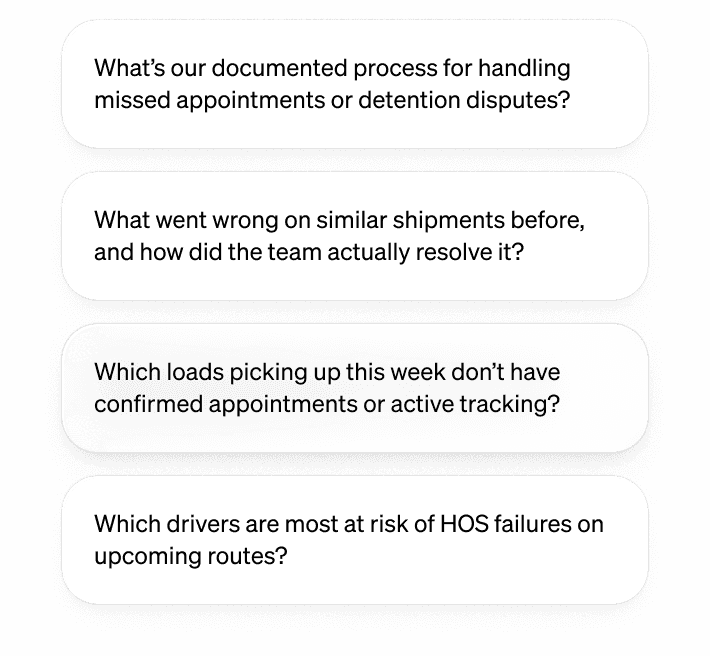
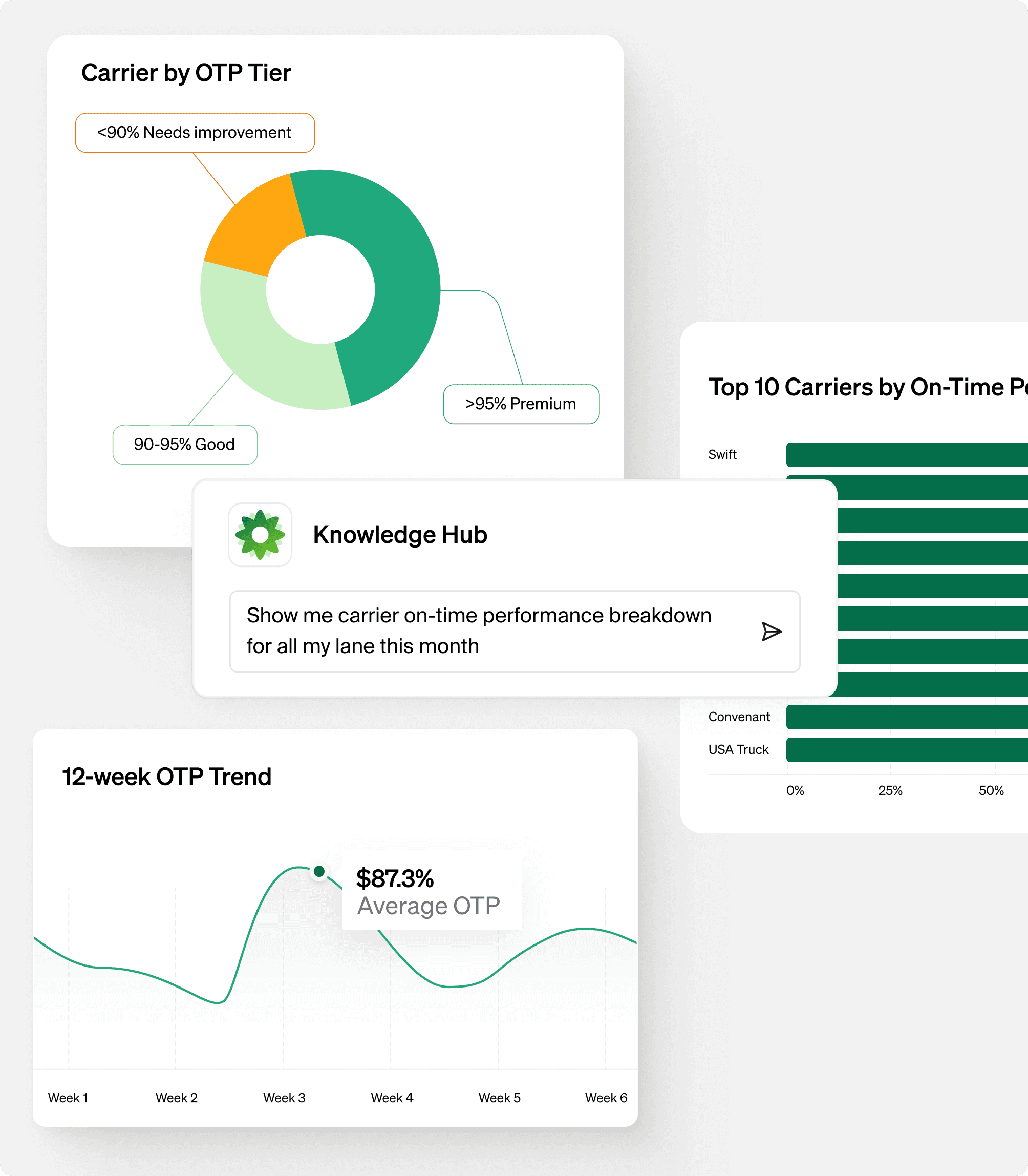
Tailored answers for every role and every question
Tailored answers for every role and every question

Back Office Manager
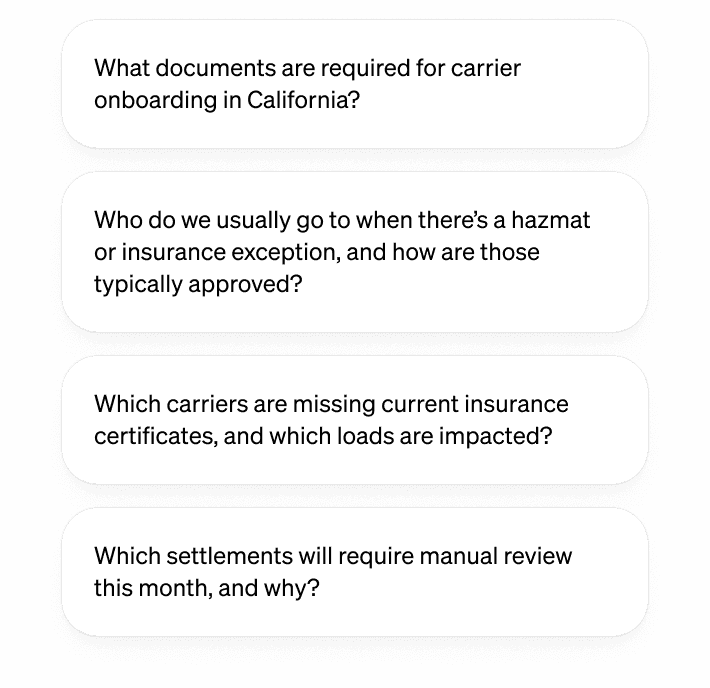

Sales Account Manager
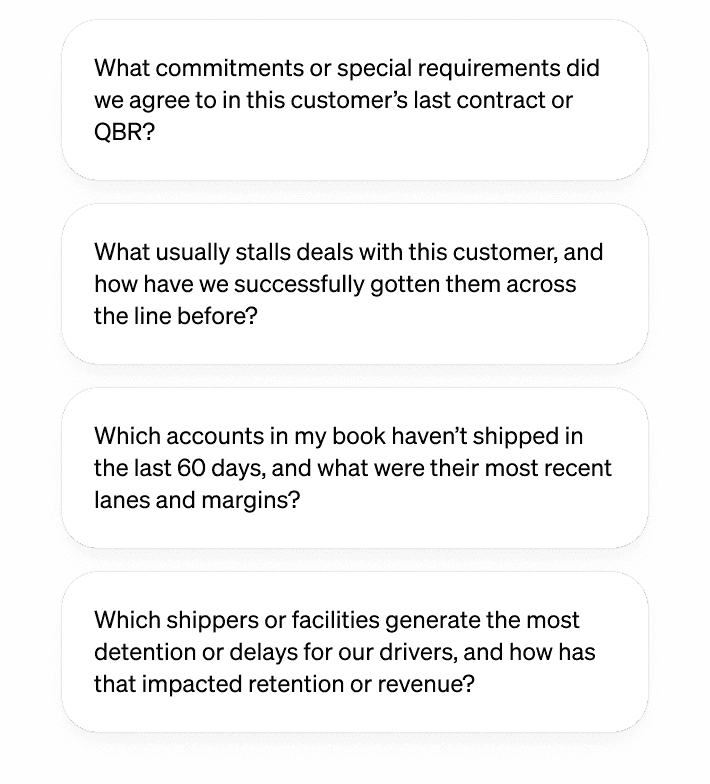

Operations Manager
Turn institutional knowledge into
operational clarity.
Turn institutional knowledge into operational clarity.
Knowledge Hub brings together structured data, unstructured information, and the real-world context from your most experienced employees—so even when Dave retires, his knowledge remains.
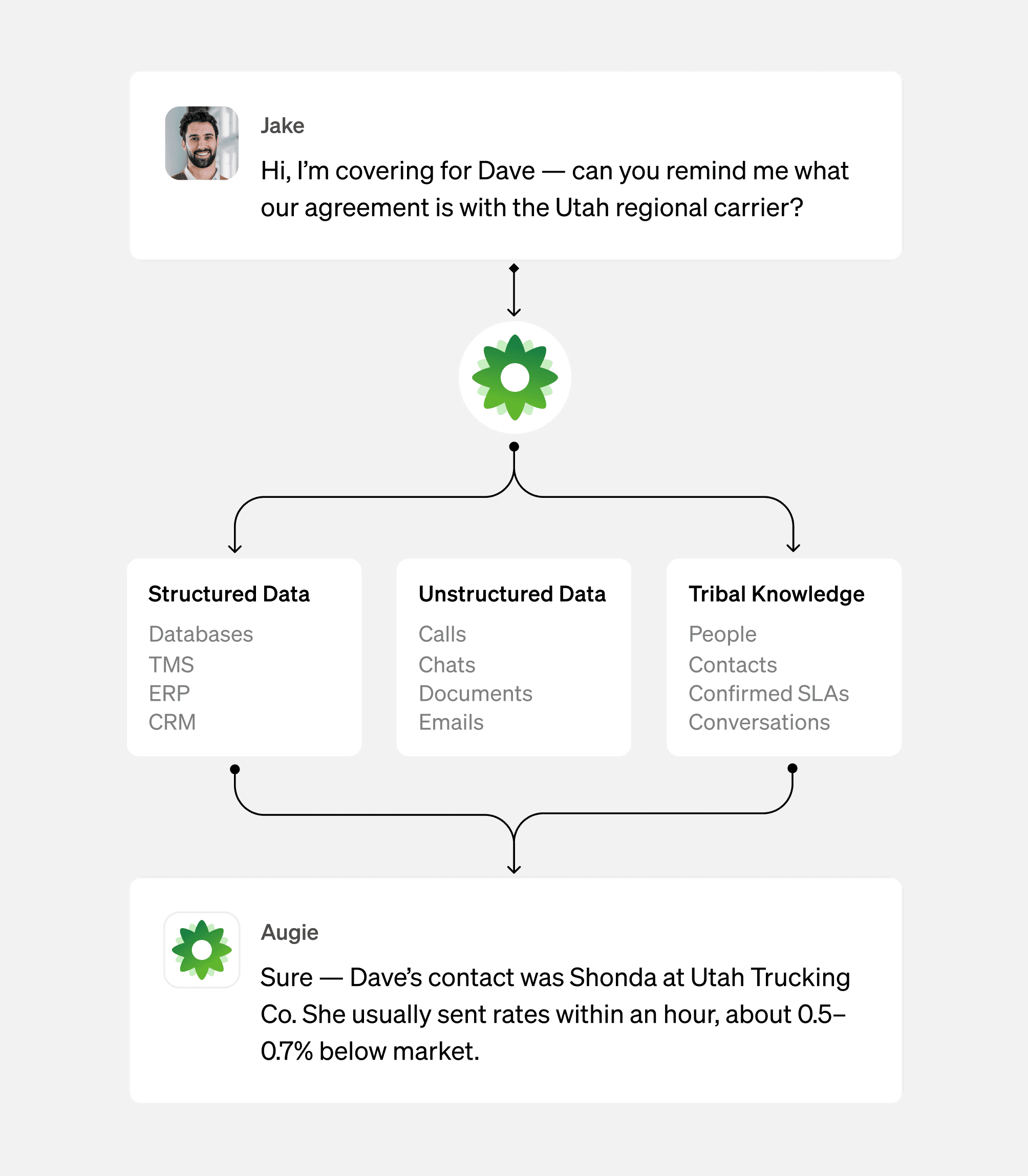
Critical context, purpose-built for your supply chain operations.
Plug-and-play sounds great until it breaks. Knowledge Hub is specially designed to optimize supply chain operations by leveraging your business nuances, preserving carrier preferences, capturing lane-specific behavior, and applying policy edge cases.
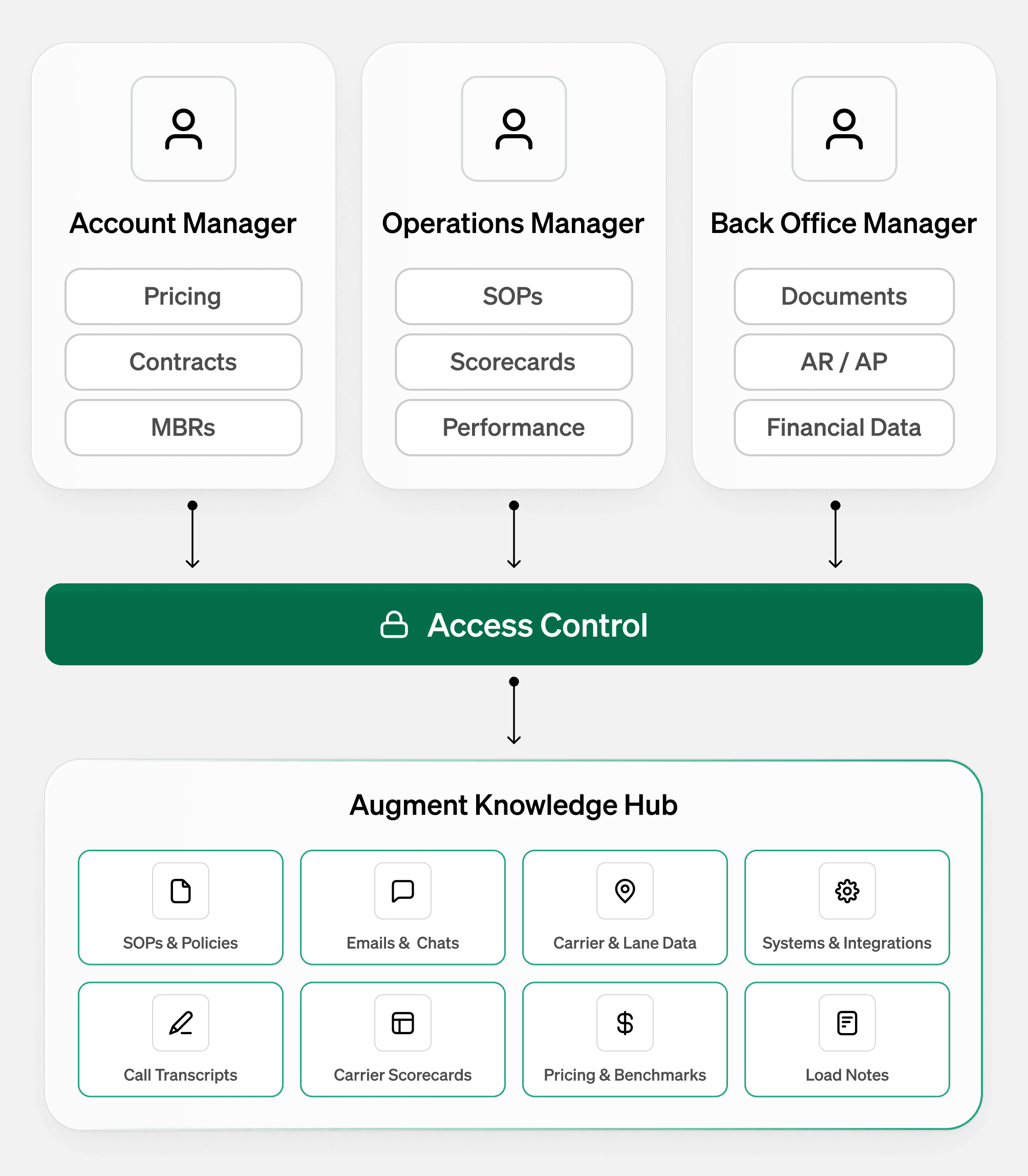
Equip the right people
with the right knowledge. Right now.
Enterprise-level controls let you decide who sees what based on role, team, or responsibility. Give the right people the right knowledge, with simple admin controls and guardrails to keep everything secure.
Wherever you work.
Smarter every time.
Wherever you work.
Smarter every time.
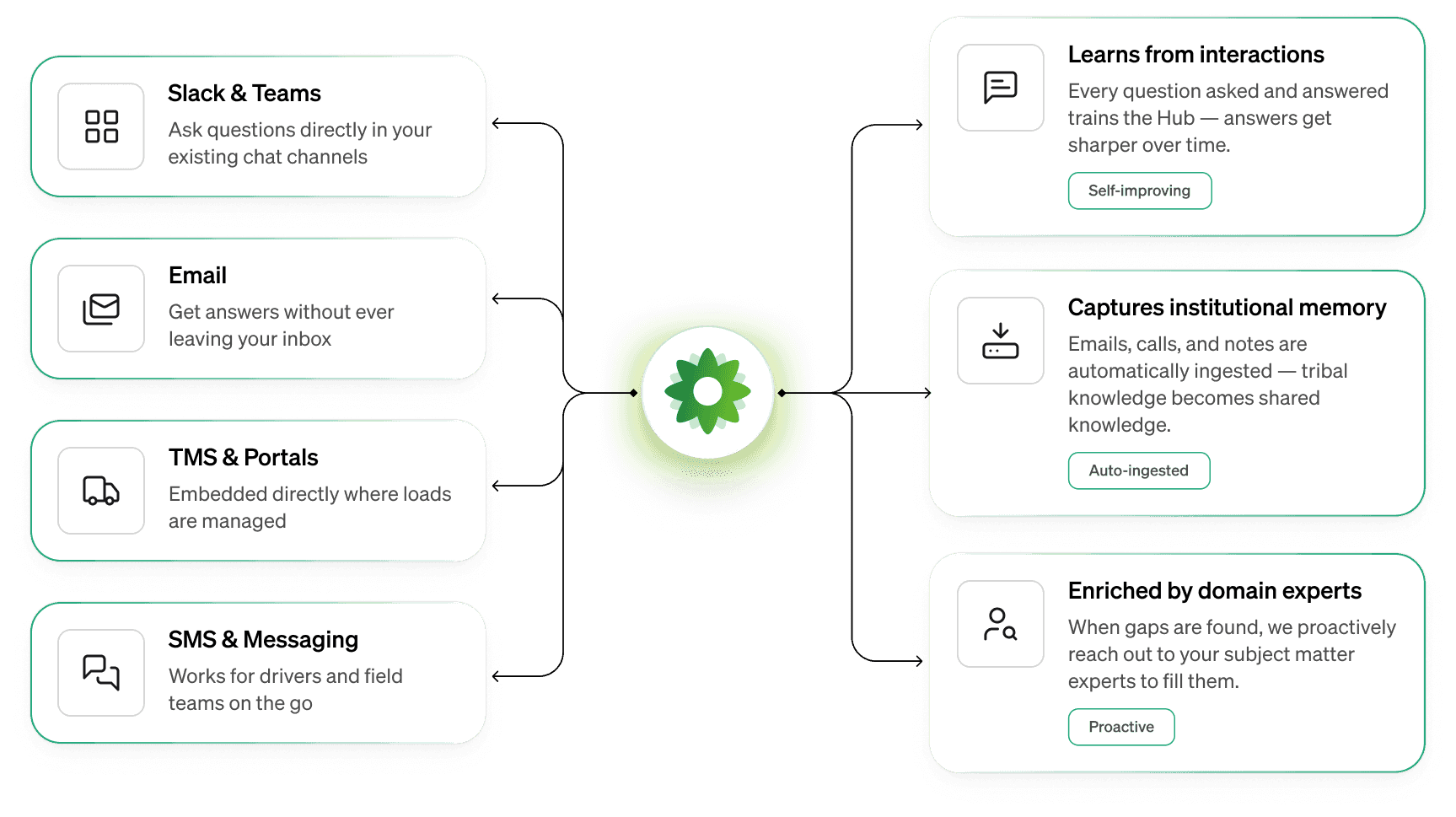
Access trusted supply chain knowledge across email, chat, TMS, and wherever work happens — and watch it continuously improve as learnings from real interactions and expert input compound.
Access trusted supply chain knowledge across email, chat, TMS, and wherever work happens — and watch it continuously improve as learnings from real interactions and expert input compound.
“Before Knowledge Hub, too many operational questions depended on knowing who to ask. Now our teams can get clear, consistent answers to SOP and policy questions instantly—without interrupting senior operators. It’s helped us preserve institutional knowledge and operate more consistently as we scale.”

Jim Hanselmann
VP of Innovation, NFI Industries
Frequently asked questions
How does Knowledge Hub capture tribal knowledge?

When Augie encounters a question it can't answer from documented sources, it reaches out to designated subject matter experts via Zoom, email, or chat. Once someone responds, Augie captures that answer, adds it to the knowledge base, and uses it going forward. If multiple people provide conflicting answers, the system flags it for review so you can standardize the response. This turns undocumented tribal knowledge into institutional knowledge that persists even after employees leave.
How can I control who sees what?
Knowledge Hub has robust permission controls at multiple levels – by user group, by file, and even at the row or column level within structured data. For example, you can ensure drivers only see operational information while finance teams can access margin and revenue data. When someone asks Augie a question, it knows their role and permissions, and only provides information they're authorized to see.
Where can our team access Knowledge Hub?
Knowledge Hub meets people where they already work – no need for a separate tab or new system. It can be embedded in your TMS, employee hub, Zoom, Slack, Teams, or Google Chat. For drivers, it supports both voice and chat interfaces, so they can get answers while on the road or at a facility.
What types of data can Knowledge Hub connect to?
Knowledge Hub can ingest from multiple sources:
Documents: PDFs, Word docs, PowerPoints, spreadsheets
Websites: Company sites, internal wikis, knowledge bases
Structured data: Snowflake data lakes, databases, TMS, ERP, CRM systems
Communication channels: Shared inboxes, email threads, call transcripts
Real-time sources: Chat conversations, Zoom meetings
What happens if Knowledge Hub doesn't know the answer to a question?
Augie will acknowledge that it doesn't have the answer and can take several actions based on your preferences: (1) route the question to designated experts for response, (2) provide a phone number or direct contact, (3) initiate a warm handoff by connecting the person to a live representative while sharing the conversation context, or (4) log the question for your team to address and update the knowledge base. You define how many attempts Augie makes before escalating – it could be as few as one exchange to avoid frustrating users.
How does Knowledge Hub differ from other knowledge management tools or AI chatbots?
Unlike horizontal platforms or generic chatbots, Knowledge Hub is purpose-built for freight and logistics with a deep understanding of how your business actually works. Here's what sets it apart:
Freight-specific ontology: We understand the relationships between loads, carriers, lanes, drivers, shippers, equipment, and facilities – not just keywords. This means more accurate answers without the guesswork that general LLMs require.
Unified structured + unstructured data: Most tools handle either documents OR databases, but not both intelligently. We combine operational data from your TMS with tribal knowledge from emails and calls, giving complete context for every answer.
Built-in permissioning: Rather than treating knowledge as universally accessible, we enforce role-based, row-level, and column-level permissions so drivers, finance teams, and operations see only what they should.
Embedded everywhere: Instead of forcing users to learn a new tool or switch tabs, Knowledge Hub lives inside your existing workflow – your TMS, driver app, Zoom, Slack, or wherever your team already works.
Continuous learning with human oversight: When Augie doesn't know something, it actively reaches out to subject-matter experts, captures their responses, identifies conflicting answers, and builds institutional knowledge over time – with proper governance.
Designed for action, not just search: Knowledge Hub doesn't just retrieve information – it powers Augie to complete complex workflows, make decisions, and take actions based on your SOPs, turning knowledge into operational capability.
The result is a knowledge system that understands your business, works how you work, and gets smarter every day without losing the human judgment that makes logistics work.
What do I need to get started with Knowledge Hub?
Knowledge Hub was built to launch seamlessly in your organization. Start by uploading your SOPs and documentation – Knowledge Hub can query those immediately. From there, we can pull structured operational data from your loads and TMS. For deeper integration, we support both API connections and Snowflake data sharing to unlock richer, more comprehensive insights.
How long does it take to integrate with other enterprise systems?
We’ve already built out integrations with top TMS partners, letting you unlock critical knowledge from day 1. Augment has deep partnerships with many key systems of record and execution. If your team has a particular integration in mind, we can make it happen!
How long does Knowledge Hub store information for?
You're in complete control of your data retention policies. While Knowledge Hub is designed to build institutional memory over time, we understand that different types of information have different lifespans and compliance requirements.
We work with you to establish retention policies that meet your regulatory requirements, privacy standards, and business preferences – so Knowledge Hub becomes a trusted system of record, not an uncontrolled data accumulation.
Is Knowledge Hub available via phone?
Yes, Knowledge Hub supports SMS for easy access – which is especially useful for drivers who need quick answers. We're continuously expanding our interface options to ensure your team can access knowledge in the way that works best for them.
Frequently asked questions
How does Knowledge Hub capture tribal knowledge?
When Augie encounters a question it can't answer from documented sources, it reaches out to designated subject matter experts via Zoom, email, or chat. Once someone responds, Augie captures that answer, adds it to the knowledge base, and uses it going forward. If multiple people provide conflicting answers, the system flags it for review so you can standardize the response. This turns undocumented tribal knowledge into institutional knowledge that persists even after employees leave.
How can I control who sees what?
Knowledge Hub has robust permission controls at multiple levels – by user group, by file, and even at the row or column level within structured data. For example, you can ensure drivers only see operational information while finance teams can access margin and revenue data. When someone asks Augie a question, it knows their role and permissions, and only provides information they're authorized to see.
Where can our team access Knowledge Hub?
Knowledge Hub meets people where they already work – no need for a separate tab or new system. It can be embedded in your TMS, employee hub, Zoom, Slack, Teams, or Google Chat. For drivers, it supports both voice and chat interfaces, so they can get answers while on the road or at a facility.
What types of data can Knowledge Hub connect to?
Knowledge Hub can ingest from multiple sources:
Documents: PDFs, Word docs, PowerPoints, spreadsheets
Websites: Company sites, internal wikis, knowledge bases
Structured data: Snowflake data lakes, databases, TMS, ERP, CRM systems
Communication channels: Shared inboxes, email threads, call transcripts
Real-time sources: Chat conversations, Zoom meetings
What happens if Knowledge Hub doesn't know the answer to a question?
Augie will acknowledge that it doesn't have the answer and can take several actions based on your preferences: (1) route the question to designated experts for response, (2) provide a phone number or direct contact, (3) initiate a warm handoff by connecting the person to a live representative while sharing the conversation context, or (4) log the question for your team to address and update the knowledge base. You define how many attempts Augie makes before escalating – it could be as few as one exchange to avoid frustrating users.
How does Knowledge Hub differ from other knowledge management tools or AI chatbots?
Unlike horizontal platforms or generic chatbots, Knowledge Hub is purpose-built for freight and logistics with a deep understanding of how your business actually works. Here's what sets it apart:
Freight-specific ontology: We understand the relationships between loads, carriers, lanes, drivers, shippers, equipment, and facilities – not just keywords. This means more accurate answers without the guesswork that general LLMs require.
Unified structured + unstructured data: Most tools handle either documents OR databases, but not both intelligently. We combine operational data from your TMS with tribal knowledge from emails and calls, giving complete context for every answer.
Built-in permissioning: Rather than treating knowledge as universally accessible, we enforce role-based, row-level, and column-level permissions so drivers, finance teams, and operations see only what they should.
Embedded everywhere: Instead of forcing users to learn a new tool or switch tabs, Knowledge Hub lives inside your existing workflow – your TMS, driver app, Zoom, Slack, or wherever your team already works.
Continuous learning with human oversight: When Augie doesn't know something, it actively reaches out to subject-matter experts, captures their responses, identifies conflicting answers, and builds institutional knowledge over time – with proper governance.
Designed for action, not just search: Knowledge Hub doesn't just retrieve information – it powers Augie to complete complex workflows, make decisions, and take actions based on your SOPs, turning knowledge into operational capability.
The result is a knowledge system that understands your business, works how you work, and gets smarter every day without losing the human judgment that makes logistics work.
What do I need to get started with Knowledge Hub?
Knowledge Hub was built to launch seamlessly in your organization. Start by uploading your SOPs and documentation – Knowledge Hub can query those immediately. From there, we can pull structured operational data from your loads and TMS. For deeper integration, we support both API connections and Snowflake data sharing to unlock richer, more comprehensive insights.
How long does it take to integrate with other enterprise systems?
We’ve already built out integrations with top TMS partners, letting you unlock critical knowledge from day 1. Augment has deep partnerships with many key systems of record and execution. If your team has a particular integration in mind, we can make it happen!
How long does Knowledge Hub store information for?
You're in complete control of your data retention policies. While Knowledge Hub is designed to build institutional memory over time, we understand that different types of information have different lifespans and compliance requirements.
We work with you to establish retention policies that meet your regulatory requirements, privacy standards, and business preferences – so Knowledge Hub becomes a trusted system of record, not an uncontrolled data accumulation.
Is Knowledge Hub available via phone?
Yes, Knowledge Hub supports SMS for easy access – which is especially useful for drivers who need quick answers. We're continuously expanding our interface options to ensure your team can access knowledge in the way that works best for them.
What’s new with Augie
What’s new with Augie
Augie keeps getting better as it works alongside real operations.
Augie keeps getting better as it works alongside real operations.
Sep 8, 2026
You can now ask Augie about your spreadsheets
Knowledge Hub can now answer questions about the data inside an uploaded workbook, not just find the file.
Read more
Aug 26, 2026
Chat integrations, now self-serve in the Portal
Connect Slack, Teams, or Sharepoint in minutes — no ticket, no wait.
Read more
Aug 14, 2026
Augie now works inside ZoomChat
Augie is live as a native app in ZoomChat — teams that run operations on Zoom can ask questions, pull documents, and receive proactive updates without leaving the tool they already work in.
Read more

Meet Augie, the AI teammate built for supply chain.
Augie handles the daily grind so your operators can focus on service and scale.
Meet Augie, the AI teammate built for supply chain.
Augie handles the daily grind so your operators can focus on service and scale.
Product
Security

Product
Security
Product
Security
Product
Security